Independence Day Special: बिना महंगे Software के बनाएं देशभक्ति वाले AI Portrait, ChatGPT-Gemini के 5 शानदार Prompts

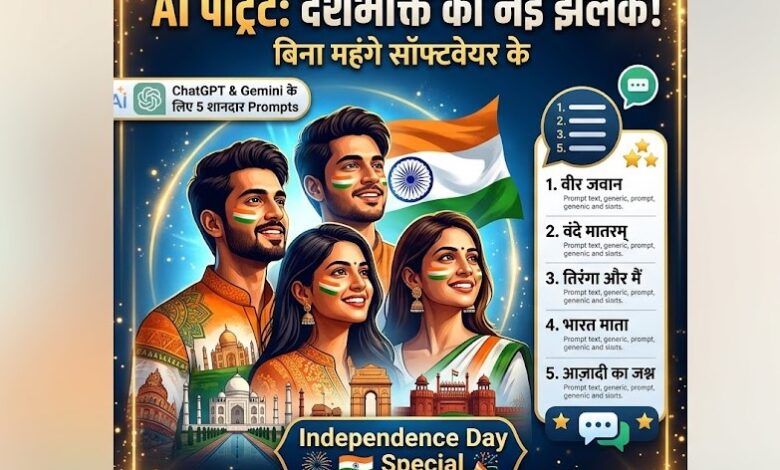
नई दिल्ली। स्वतंत्रता दिवस यानी 15 अगस्त के मौके पर देशभक्ति का रंग हर तरफ नजर आता है। सोशल मीडिया पर लोग तिरंगे के साथ अपनी तस्वीरें, प्रोफाइल फोटो और खास Independence Day Portrait शेयर करते हैं। अगर आप भी अपनी सामान्य फोटो को एक शानदार देशभक्ति वाली तस्वीर में बदलना चाहते हैं, तो इसके लिए अब Photoshop जैसे महंगे Software की जरूरत नहीं है। ChatGPT और Gemini जैसे AI Tools की मदद से कुछ ही मिनटों में अपनी फोटो को अलग-अलग स्टाइल में तैयार किया जा सकता है। इसके लिए आपको केवल अपनी साफ फोटो Upload करनी होगी और सही AI Prompt देना होगा। यहां जानिए 5 ऐसे Prompts, जिनसे आप Cinematic, Traditional, Vintage, Modern और Dramatic Independence Day Portrait बना सकते हैं।
AI की मदद से बनाएं 15 अगस्त की खास तस्वीर
आज के समय में AI Image Generation ने Photo Editing को काफी आसान बना दिया है। पहले किसी फोटो में बैकग्राउंड बदलने, कपड़ों का रंग बदलने या तिरंगे जैसे Elements जोड़ने के लिए Photo Editing Software की जानकारी जरूरी होती थी। अब AI को केवल Text Prompt देकर इसी तरह के कई बदलाव किए जा सकते हैं।
स्वतंत्रता दिवस के लिए आप अपनी Selfie या किसी Portrait Photo को Upload करके AI को बता सकते हैं कि आपको किस तरह की तस्वीर चाहिए। उदाहरण के लिए, अगर आप तिरंगे की रोशनी के साथ Cinematic फोटो चाहते हैं तो उसी हिसाब से Prompt दिया जा सकता है।
हालांकि बेहतर परिणाम के लिए Prompt में अपनी Facial Identity को बनाए रखने की बात स्पष्ट रूप से लिखना जरूरी है। इससे AI के चेहरे को अनावश्यक रूप से बदलने की संभावना कम हो सकती है।
1. Cinematic Tricolour Portrait के लिए Prompt
अगर आप अपनी साधारण Selfie को Professional Studio Portrait जैसा बनाना चाहते हैं तो Cinematic Tricolour Prompt काफी उपयोगी हो सकता है। इसमें तिरंगे के तीन रंगों के साथ Professional Lighting और Indian Flag को शामिल किया जा सकता है।
Prompt:
Transform my uploaded photo into a cinematic Indian Independence Day portrait. Keep my face, facial features, skin tone and identity exactly recognisable. Dress me in elegant Indian attire inspired by the Indian tricolour — saffron, white and green accents. Add a subtle Indian flag in the background, soft saffron and green lighting, and a patriotic atmosphere. Make it look like a premium professional studio portrait with realistic skin texture, dramatic but natural lighting, shallow depth of field and ultra-detailed photography. Avoid excessive text, logos or artificial-looking effects.
इस Prompt में चेहरे की पहचान और Skin Tone को बरकरार रखने पर विशेष जोर दिया गया है। वहीं तिरंगे के रंग, Soft Lighting और Shallow Depth of Field फोटो को Professional Look देने में मदद कर सकते हैं।
2. Traditional Indian Look के लिए Prompt
अगर आप Independence Day Portrait में भारतीय संस्कृति और पारंपरिक पहनावे को प्रमुखता देना चाहते हैं, तो Traditional Indian Look वाला Prompt इस्तेमाल किया जा सकता है।
इस तरह की तस्वीर में White Saree या अन्य पारंपरिक भारतीय कपड़ों के साथ तिरंगा, Ashoka Chakra और Garden Background जैसे Elements जोड़े जा सकते हैं।
Prompt:
Turn my uploaded photo into a sophisticated Independence Day portrait in 1280×720 dimensions. Preserve my exact facial identity and natural appearance. Dress me in traditional Indian clothing, such as an elegant white saree. Place me against an elegant garden background featuring softly flowing Indian flags and subtle Ashoka Chakra motifs. Include a beautifully hoisted Tricolour flag in the background. Use warm cinematic lighting, realistic fabric textures and a premium editorial photography style. The final image should feel proud, elegant and authentically Indian rather than overly edited.
यह Prompt खास तौर पर उन लोगों के लिए उपयोगी हो सकता है जो अपनी तस्वीर को ज्यादा Elegant और Traditional रखना चाहते हैं। इसमें बहुत ज्यादा Artificial Effects के बजाय Natural और Premium Photography Style पर जोर दिया गया है।
3. Freedom Movement से Inspired Vintage Portrait
अगर आपको अपनी फोटो में Independence Movement से जुड़ा Historical और Vintage Touch चाहिए तो यह Prompt इस्तेमाल कर सकते हैं। इसमें पुराने दौर की Photography जैसा Colour Grade और भारतीय स्वतंत्रता आंदोलन से प्रेरित वातावरण तैयार किया जा सकता है।
Prompt:
Create a powerful Independence Day portrait from my uploaded photo while keeping my face and identity unchanged. Give the image a timeless, historical Indian freedom movement-inspired aesthetic, with me wearing simple traditional Indian clothing and standing confidently. Use a vintage-inspired but highly realistic colour grade, with subtle saffron, white and green tones, an Indian flag softly visible in the background, and a tasteful Ashoka Chakra element. Make it look like a professionally photographed patriotic campaign portrait, not a cartoon.
इस Prompt में Vintage और Historical Feel के साथ Realistic Photography को प्राथमिकता दी गई है। अगर आप Cartoon या ज्यादा Artificial Image नहीं चाहते हैं तो Prompt में दिए गए निर्देश काफी महत्वपूर्ण हैं।
4. Instagram के लिए Modern Independence Day Portrait
अगर आपका मकसद Instagram या Facebook के लिए Modern और Stylish Independence Day Photo तैयार करना है तो यह Prompt आपके लिए बेहतर हो सकता है।
इसमें Fashion Photography, Tricolour Light Trails और Glowing Ashoka Chakra जैसे आधुनिक Visual Elements का इस्तेमाल किया जा सकता है।
Prompt:
Transform my uploaded photo into a stylish modern Independence Day portrait suitable for Instagram. Keep my facial features, hairstyle, skin tone and identity accurate. Add a fashionable Indian outfit with subtle details and create a vibrant background using flowing saffron, white and green light trails. Include a sophisticated Indian flag and glowing Ashoka Chakra in the composition. Use high-end fashion photography, realistic lighting, sharp facial details, natural skin texture and a clean premium aesthetic. Keep the design minimal and avoid clutter.
यह Prompt Social Media के लिए खास तौर पर उपयोगी हो सकता है। इसमें Background को ज्यादा भरा हुआ रखने के बजाय Clean और Premium रखने के लिए कहा गया है।
5. Dramatic Indian Flag Portrait के लिए Prompt
अगर आप अपनी फोटो में देशभक्ति का ज्यादा Dramatic और Cinematic प्रभाव चाहते हैं तो Indian Flag को तस्वीर की मुख्य Theme बनाया जा सकता है।
आप खुद को तिरंगे के साथ खड़े हुए या उसे हाथ में पकड़े हुए दिखा सकते हैं। इसके साथ Sunrise और Cinematic Lighting तस्वीर को ज्यादा प्रभावशाली बना सकते हैं।
Prompt:
Use my uploaded photo to create a dramatic yet realistic Independence Day celebration portrait. Preserve my exact face and identity without changing my facial structure. Show me confidently holding or standing beside the Indian national flag, with the flag naturally flowing in the wind. Add a beautiful sunrise sky, subtle saffron, white and green atmospheric lighting and a prominent but tasteful Ashoka Chakra. Use cinematic photography, realistic shadows, detailed clothing and natural skin texture. The final image should look like a professionally shot Independence Day campaign photograph.
इस Prompt में Flag को तस्वीर का प्रमुख हिस्सा बनाया गया है, जबकि Sunrise और Tricolour Lighting इसे Cinematic Feel देते हैं। साथ ही Natural Skin Texture और Realistic Shadows तस्वीर को ज्यादा वास्तविक बनाए रखने में मदद कर सकते हैं।
AI से फोटो बनाते समय इन बातों का रखें ध्यान
AI Portrait तैयार करने के लिए सबसे पहले ऐसी फोटो चुनें जिसमें चेहरा साफ और पर्याप्त रोशनी में दिखाई दे। बहुत ज्यादा Blur, Heavy Filter या कम Resolution वाली फोटो से अपेक्षित परिणाम मिलना मुश्किल हो सकता है।
अगर AI आपका चेहरा बदल देता है तो Prompt में “Preserve my exact facial identity”, “Do not change my facial structure” और “Keep my natural skin texture” जैसे निर्देश जोड़े जा सकते हैं।
वहीं अगर तस्वीर में बहुत ज्यादा Elements दिखाई देने लगें तो “minimal background”, “avoid clutter” और “subtle patriotic elements” जैसे निर्देश दिए जा सकते हैं।
एक ही फोटो पर अलग-अलग Prompts आजमाकर आप कई तरह के Independence Day Portrait तैयार कर सकते हैं। इसके बाद जो तस्वीर आपको सबसे बेहतर लगे, उसे अपनी पसंद के Social Media Platform पर इस्तेमाल किया जा सकता है।
ध्यान रखें कि AI से बनाई गई तस्वीर एक Creative Image होती है। इसे वास्तविक घटना या वास्तविक Photograph के रूप में प्रस्तुत नहीं किया जाना चाहिए।